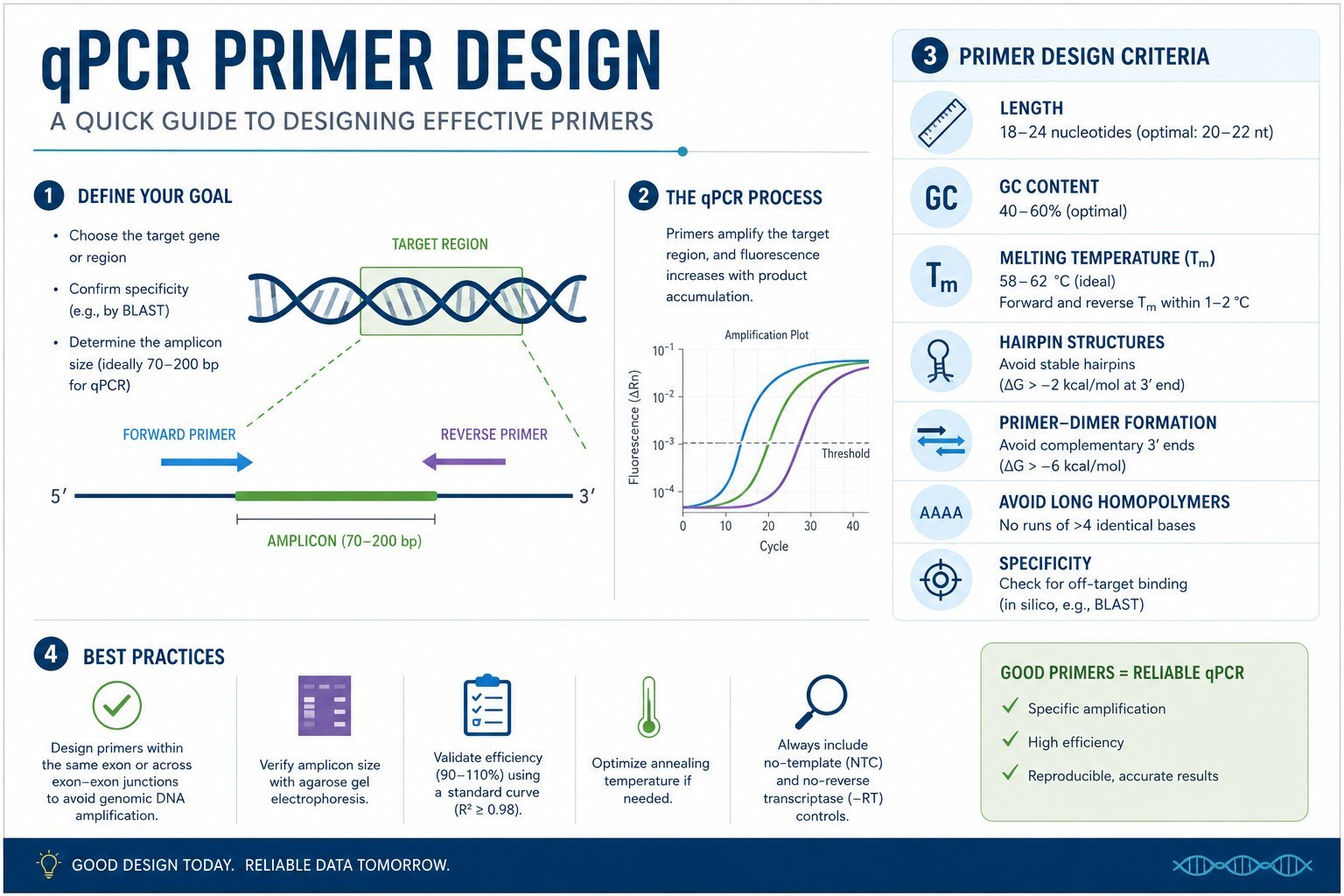
qPCR and PCR primer design
Stop buying commercial primer assay kits! If you run qPCR regularly, you can design your own primers, keep full control over your assays, and save a lot of money.
Why design your own?
Commercial primer assays from popular suppliers often cost around £76 for a primer pair with enough material for about 1,000 × 10 µl reactions. If you design your own and order from Merck (Sigma), you typically receive enough for roughly 10,000 × 10 µl reactions for about £22 per pair — roughly ten times more product for about a third of the price.
Some researchers say their commercial primers are “validated.” In the small print, that usually means bioinformatically validated: the sequences have been BLAST searched against the chosen species genome — exactly what you do when you design primers yourself with NCBI Primer-BLAST.
What you need to begin
You need a target sequence or an NCBI accession number for the transcript you want to amplify. Below we walk through human GAPDH as an example.
Start at the NCBI homepage: https://www.ncbi.nlm.nih.gov/
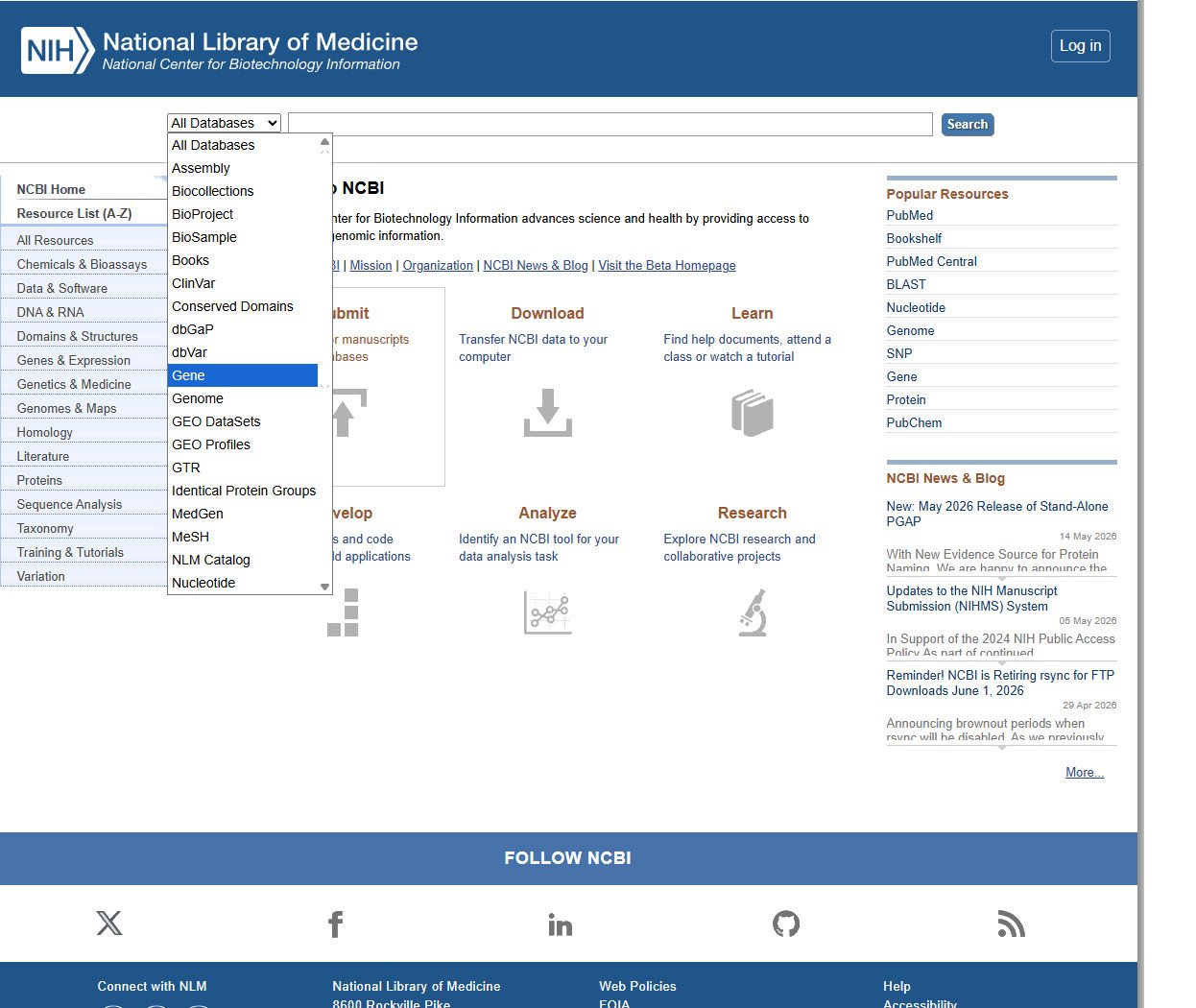
In the All databases dropdown near the top left, select Gene. In the search box to the right, enter Human GAPDH and click Search.
You will see a list of search results.
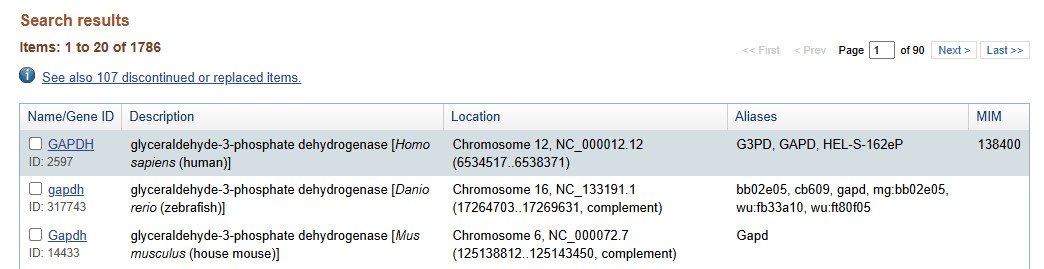
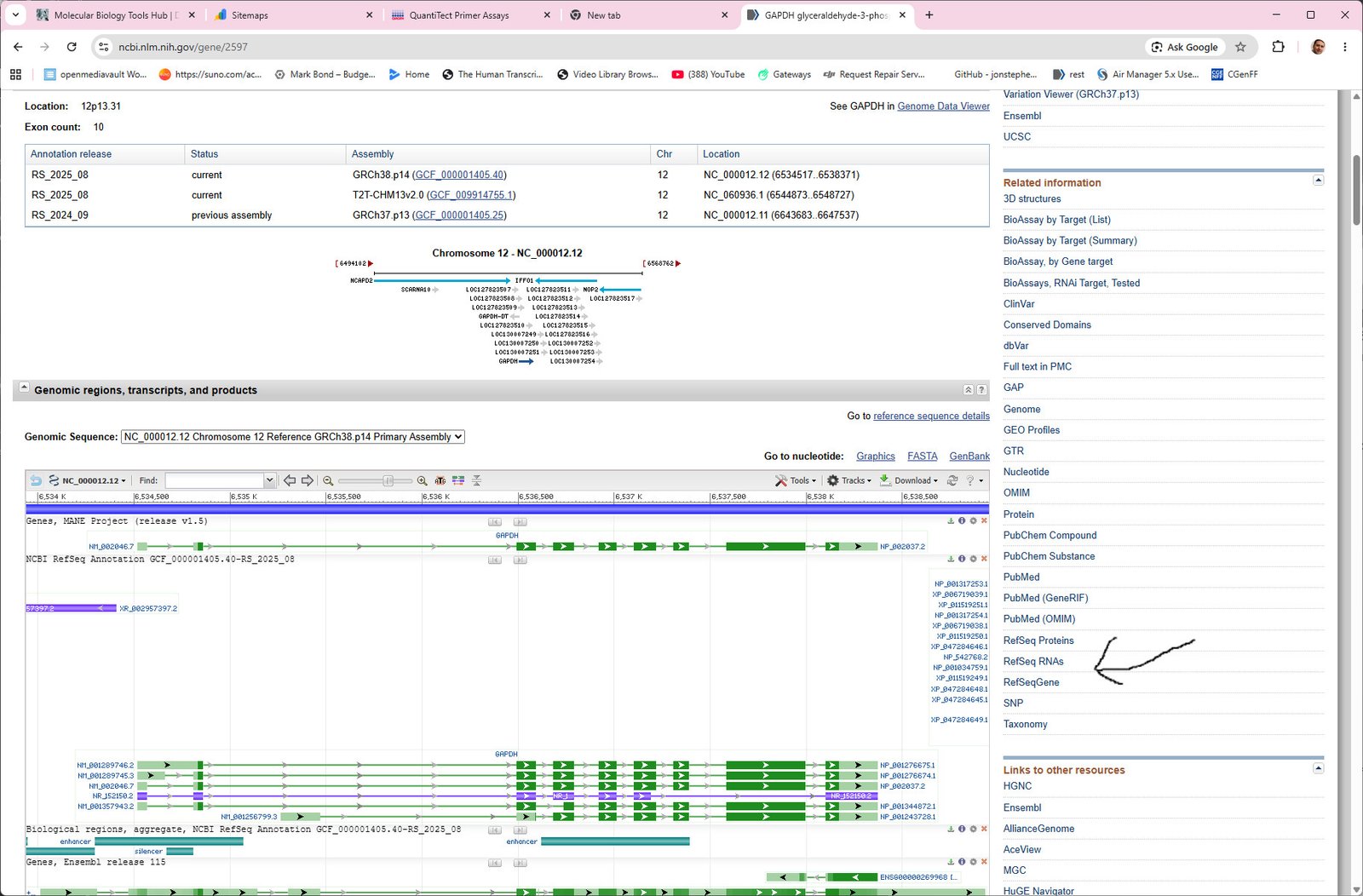
That opens the human GAPDH gene record. For qPCR you want mRNA sequence information, not genomic gene layout alone. Scroll down slightly and choose RefSeq RNAs from the menu on the right.
You now have RefSeq entries for the various GAPDH transcript variants. Select the one you need; if you are unsure, transcript variant 1 is a common choice, or pick the entry labelled simply as mRNA. Here we used transcript variant 1.
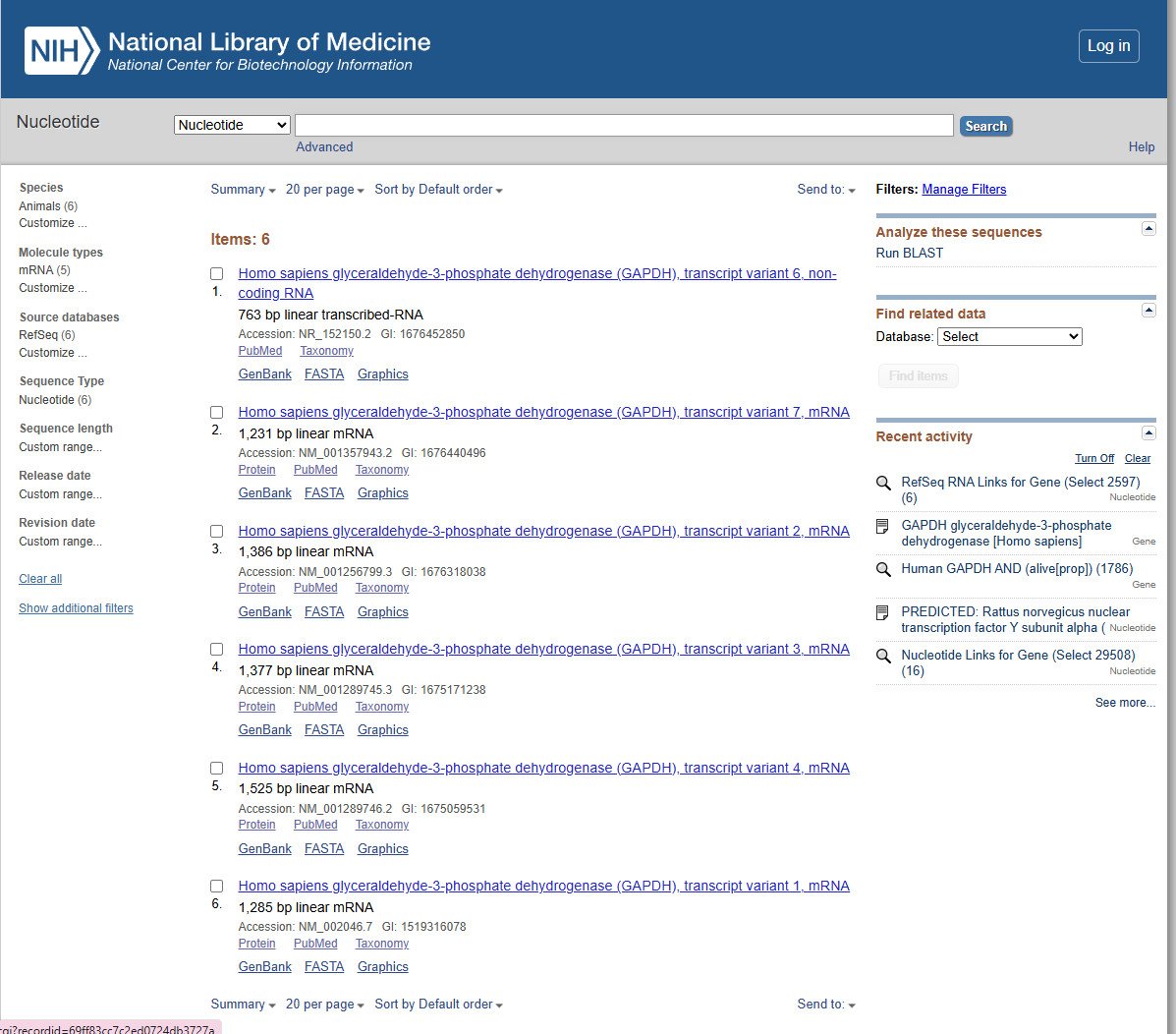
Next you will see the RefSeq record for that transcript.
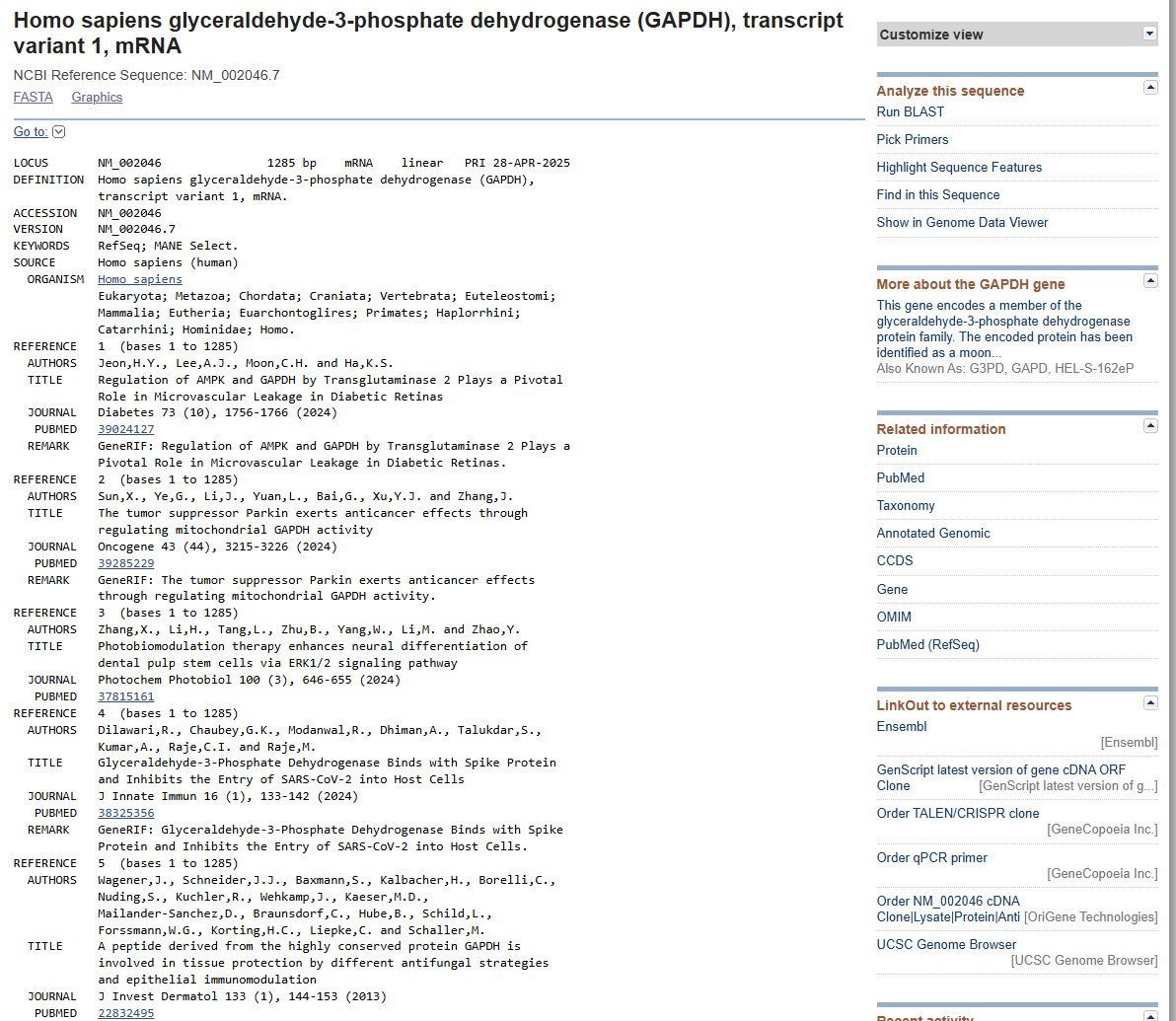
The easiest approach is to copy the accession number near the top of the page (here
NM_002046). NCBI prefixes: NM_ for mRNA, NG_ for genes,
NP_ for proteins. Alternatively, scroll down and copy part or all of the mRNA sequence.
Design primers with NCBI Primer-BLAST
Open the NCBI Primer-BLAST tool: https://www.ncbi.nlm.nih.gov/tools/primer-blast/
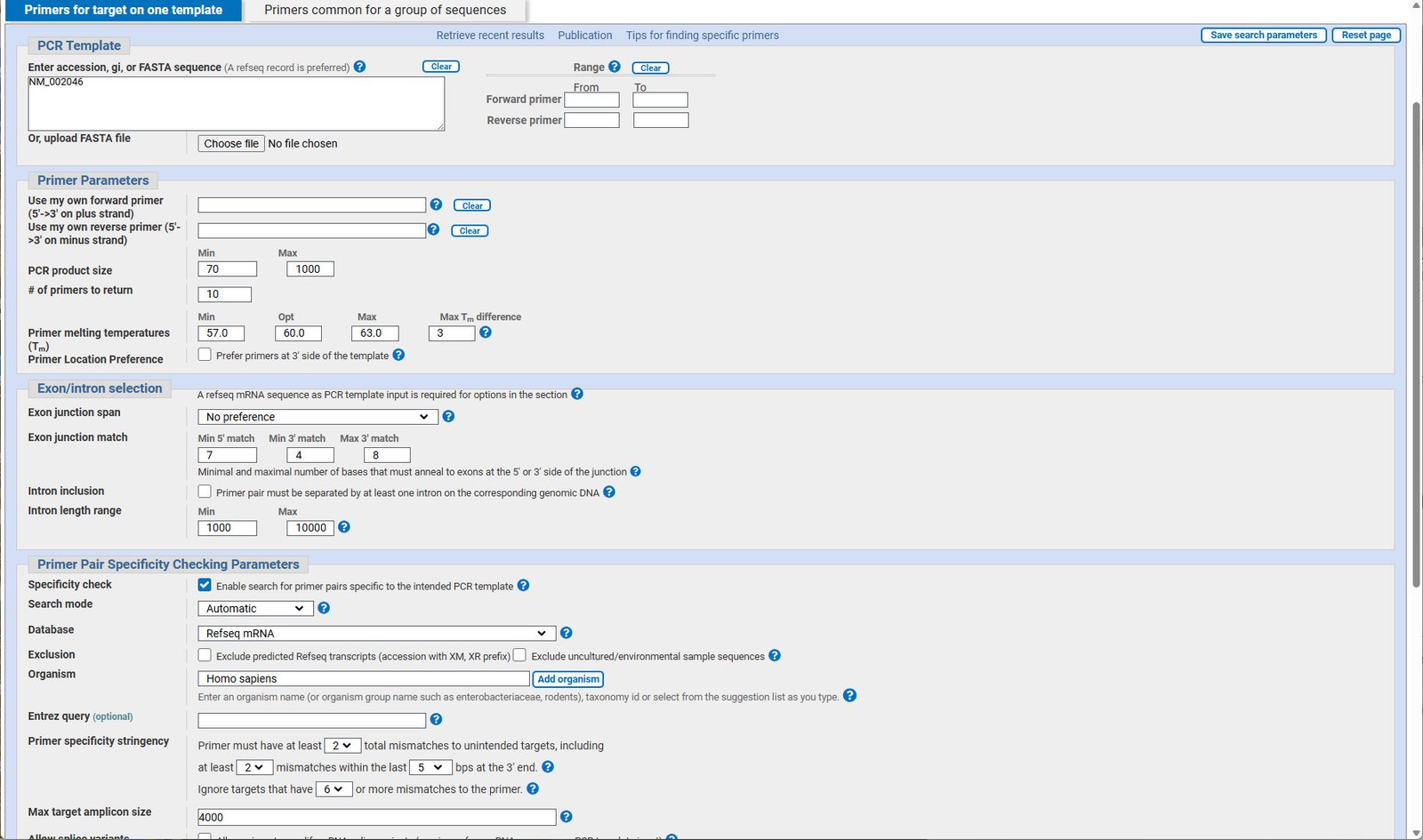
Paste the accession into the box at the top, or paste raw mRNA sequence if you copied that instead. The form looks busy, but only a few fields need changing for typical SYBR qPCR.
Settings used in this example
- PCR product size — Min 95, Max 200. Too small and products are hard to resolve on agarose; too large reduces efficiency and lengthens the run.
- Primer melting temperature (Tm) — Min 60, Opt 64, Max 66.
- Primer Pair Specificity Checking Parameters — Set Organism to your species (here Homo sapiens).
- Under Advanced parameters: Primer size Min 22, Opt 24, Max 26; Primer GC content Min 35, Max 65.
Click Get primers.
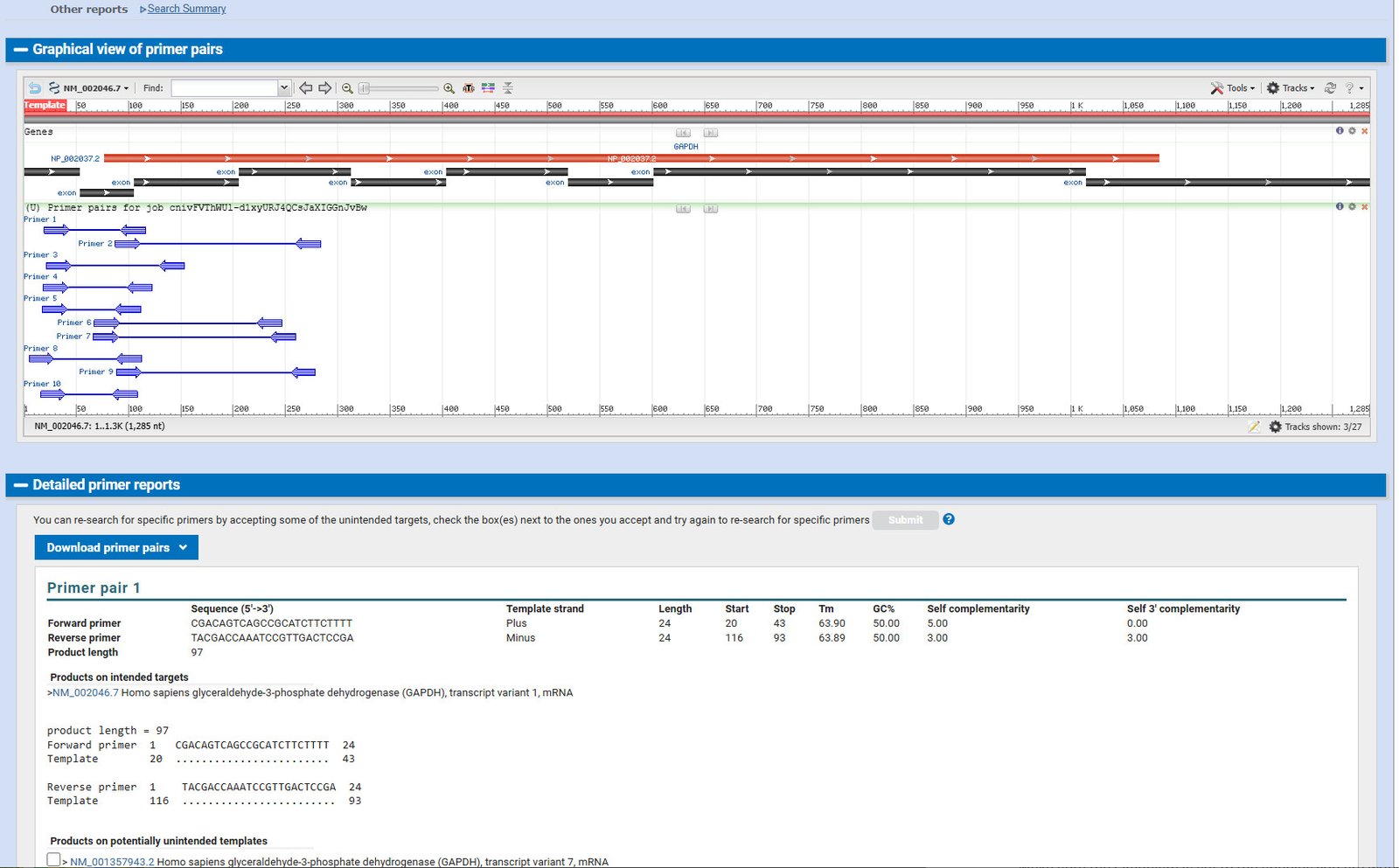
The results page lists multiple primer pairs. I usually take the first hit. Both forward and reverse sequences are shown 5′→3′ — you do not need to reverse-complement the reverse primer before ordering.
Copy the sequences into the Merck DNA oligo order page (smallest scale, e.g. 0.025 µmol): Sigma-Aldrich / Merck oligo configurator. That is typically enough primer for thousands of qPCR reactions at a fraction of the cost of commercial assay kits.
After you have primers
Validate new primer pairs with agarose gel or melt-curve checks, efficiency standards, and no-template controls. For interpreting SYBR melt curves, see our guide on understanding melt curve analysis.
Good luck with your qPCR reactions.
Educational use
This guide supports laboratory education and research planning. Prices, catalogue numbers, and NCBI page layouts may change; always confirm sequences, species, and controls with your own lab standards and institutional policies.